FloSpace FloPrompter 3.0.3 Released!

October 6th, 2008

We just released the lastest update to the innovative program that turns any PC into a studio-quality teleprompter, FloSpace FloPrompter!

Version 3.0.3 offers one new feature that a number of customers had been requesting: faster scrolling.

True, the old version already was pretty fast, scrolling 1 pixel as often as every millisecond. That’s dang fast! But many customers found that they needed even faster scrolling to keep up with their actors and voice talents. We solved this issue by adding a new setting: Scroll Smoothness.

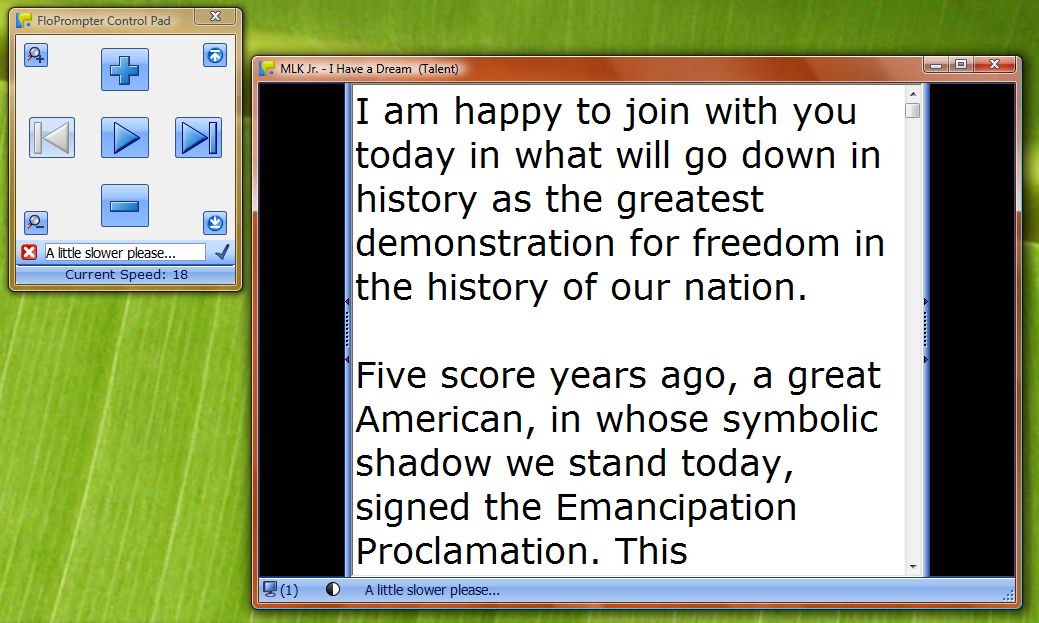
FloPrompter Teleprompter Window - Smoothness Settings

(Click the screen shot to see a larger image.)

The Scroll Smoothness feature controls how many pixels the teleprompter moves the text with each scroll action. By default, it scrolls just one pixel for maximum smoothness. You can change the setting to scroll as many as 5 pixels per tick of the scroll timer. That’s up to 5 times faster than the previous version of FloPrompter!

TIP: To achieve the best possible effect for your needs, you may wish to adjust both the Scroll Speed and Scroll Smoothness settings to achieve the desired results.

Of course, you can set a default Scroll Smoothness value in the program Options dialog, as well. And if you so choose, the Scroll Smoothness value can be saved with each file instead of the default.

Thank you to our customers for requesting this feature. FloSpace listens to your feedback, and FloPrompter keeps getting better and better with each release!

Update recommendation: If you wish. This is a “soft recommendation” to update. Only the Scroll Smoothness feature is new, so most folks won’t notice the difference.

If you decide to update your software, this is of course a free update for all FloSpace FloPrompter customers!

www.flospace.com/downloads.htm

Faster Scrolling — Coming Soon!

September 28th, 2008

Several customers have asked us to make the scrolling feature even faster. So we’re going to start working on adding this feature.

Currently, the highest speed setting (30) scrolls 1 pixel ever 1/1000 of a second. That’s 1,000 vertical pixels every second!

But in some film and video applications, they need it to be even faster. So we’ve started looking into how to add in even faster scrolling, but still with acceptable performance.

We have a few techniques in mind which we’re starting to look into. We expect to take a month or two to design, implement, and test this solution. But have no fear: existing FloPrompter documents will continue to work just fine if you’ve opted to save scroll speed settings in them.

When the new version of FloPrompter with faster scrolling is available, of course it will be a free update for all existing 2.xx and 3.xx customers!!

FloSpace FloPrompter 3.0.2 Released!

September 3rd, 2008

Hi, folks –

We just published version 3.0.2, available for immediate download on the FloSpace.com/downloads page.

Version 3.0.2 has a few minor bug fixes and one minor feature enhancement. In addition, this update improves the the installation experience for new users. The following are now packaged together in a single ZIP file:

  • Improved installation instructions (FloSpace Installation Instructions.pdf)
  • The FloPrompter installer (FloSpace FloPrompter Installer.exe)
  • The patcher utility for Windows Vista PCs (FloPrompter Vista Patcher.exe)
  • A sample file (Great American Speeches.fsd)

Why the repackaging?

Windows Vista makes it difficult to figure out how to unzip ZIP archives. On Vista PCs, a ZIP archive looks like a regular folder (nice!), except that it doesn’t act like a regular folder (bummer!). The result is that a lot of people had difficulties not only installing FloPrompter to begin with, but also running the patcher utility.

Solution: We packaged the installer and patcher into separate “self-extracting archives.” That’s techno mumbo jumbo for, “Just double-click on the file to get the party started!” So the result is much easier installation and patch experiences.

Update Recommendation: If you wish. This is a “soft recommendation” to update. The bug fixes and enhancements in version 3.0.2 were fairly minor, so most folks won’t notice the difference.

If you decide to update, this is, of course, a free update for all FloPrompter customers!

Download the update: www.flospace.com/downloads.htm

Low-Budget Teleprompter

August 10th, 2008

Scribe Media posted a great little video to YouTube showing how to build a very low cost teleprompter. What’s cool is that it looks wicked easy to set up, and of course the materials are very cheap. (Excluding the camera…)

www.youtube.com/watch?v=XsszWVOakKA

Scribe Media uses a competitor to FloPrompter which they said was free. However, when I checked the web site today, it looks like the software  is $89 — not free! FloPrompter Standard has way more features, including rich text, spell checking and a thesaurus, and is just $50!

Oh well. We’ll forgive them because their how to video is great. And we like their web site!

And Scribe Media — when you’re ready to make the switch to a truly good and easy to use product, give me a call. I’ll totally hook y’all up with a great deal!  ;-)

DIY Camera Mount & Teleprompter

August 5th, 2008

Customers ask us from time to time how to set up a camera and monitor for the best results. I ran across a blog posting today with some great tips on how to do it on a budget. This blog posting was written by a Journalism and Media Technology teacher at a school near Houston, TX:

http://teachj.wordpress.com/2007/07/02/diy-camera-mount-teleprompter/

And an update on the topic:

http://teachj.wordpress.com/2008/03/24/hacking-up-old-tripods/

It should be noted that Mr. C is using PowerPoint on Macs for their teleprompter software. Since FloPrompter isn’t available for Macs (yet), we’ll forgive him.  :-)

Need to extend your trial period?

July 31st, 2008

Sometimes 30 days just isn’t enough.

Maybe you went on vacation in the middle of the trial period. Maybe you weren’t able to finish putting FloPrompter through its paces before getting distracted by another high priority project.

Whatever the case may be, FloSpace can tell you how to extend the trial period for an extra 30 days — 60 days in total!

This feature is only available by special request. Please contact Sales for details if you need an extra few days to make a purchase decision: sales@flospace.com

New Features for Musicians and Bands?

July 30th, 2008

A few customers and prospective customers have written us recently requesting a couple of new features to make FloPrompter even more appealing to musicians and bands. Or even creating an entirely different product to appeal more directly to the musician and band market.

Hmmm! The possibilities are intriguing… And if it means we might get complimentary backstage passes, all the better!  :-)

What are your thoughts? The sky is the limit!

Send your wishlist of feature ideas to support@flospace.com

Thanks!

Windows Vista Patch Published!

July 29th, 2008

If your computer runs Microsoft Windows Vista, please read this announcement!

FloSpace has published a little patcher utility which heals FloPrompter so that it can run properly on computers running Microsoft Windows Vista. Please get the patcher utility from the FloSpace Downloads web page.

HOW TO USE THE PATCHER

1.) Install or upgrade to the latest version of FloPrompter (version 3.0).

2.) Download the patcher utility.

3.) Double click on the file called “FloPrompter_Vista_Patcher.exe”. In the dialog, click on the “Patch it!” button.

4.) Launch FloPrompter. It should work just fine now!

If you have any problems, please contact FloSpace technical support: support@flospace.com

QUESTIONS

Q: My computer runs Windows XP. Do I need to run this patcher utility?

A: No. The patcher utility is only for computers running Windows Vista.

Q: Why doesn’t FloPrompter run on Windows Vista?

A: FloPrompter tightly integrates with Windows Vista to achieve the smooth scrolling and mirrored text features. Without the patch, Vista complains about the integration and causes errors. After you apply the patch, FloPrompter runs great and Vista won’t complain about the integration. (Let’s just say that after much sweat and tears, we finally figured out the technie magic which fixes this problem…)

Q: When will the need for a patch go away?

A: FloSpace is consulting with Microsoft to figure out how to eliminate the need for a patch in the first place. We’re not sure how long this will take to resolve. Hopefully, not too long! We recognize that the patch utility is an inconvenience to Vista computer owners and we consider the patcher utility only a short-term fix rather than a permanent solution.

Q: My computer runs Windows Vista on a 64-bit processor. Will this work for my computer, too?

A: Unfortunately, Microsoft has introduced significant technical hurdles which prevent a lot of software programs from running smoothly on 64-bit computers. It is our goal to get FloPrompter to run on 64-bit computers by the end of 2008! (Sorry for the delay!)

FloPrompter Patch for Windows Vista in Testing

July 27th, 2008

Good news!

We have figured out a strategy for patching FloPrompter so that it can run on computers running Microsoft Windows Vista (32 bit version only).The patch works great on our test computer!

We just sent a download link to a few folks who had made tech support requests about this issue. We’ll give them a few days to try the patch on their own computers. If feedback from the field is good, we’ll update the FloSpace web site with the patch download link officially.

If you would like to give the Vista patch a try, also, please send us an email:  support@flospace.com

Thank you!

FloSpace on Twitter

July 21st, 2008

Hi, everyone!

I’m the founder and president of FloSpace. I recently joined Twitter, a micro-blogging service, as they call it. If you’re also on Twitter, you’re welcome to check me out. My Twitter posts (or “tweets”, as they’re called) tend to be a mixture of both personal and professional topics of interest.

I’m particularly keen to follow FloPrompter customers or interesting people like our customers, especially audio and video production professionals, professional speakers, actors and voice talents, and innovators in schools and churches/places of worship who are interested in new media and technology tools. Or, well, anyone who has something interesting to say!

You can see what I’ve been up to lately here:

www.twitter.com/AnthonyHand

I look forward to hearing from you in the Twittersphere!

- Anthony